AnyShare-初始化 AnyShare 集群失败,提示错误: release deploy-service failed: timed out waiting for the condition
关键字
初始化、镜像
适用产品
- AnyShare Enterprise 7.0.2.2-7.0.3.0
- AnyShare Express 7.0.2.2-7.0.3.0
问题描述
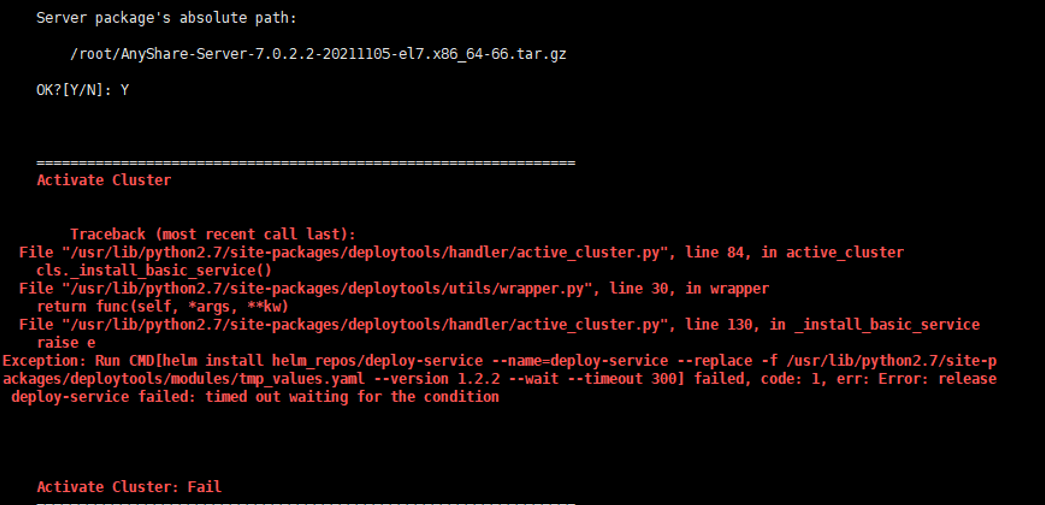
初始化 AnyShare 集群失败 ,提示如下错误信息:
release deploy-service failed: timed out waiting for the condition
问题影响
初始化 AnyShare 集群失败,无法完成部署。
问题原因
deploy-service 相关镜像不存在,pod 启动无法拉取到镜像,导致激活 Anyshare 集群失败。
解决方案
为了解决该问题,需要上传本地镜像,请按照以下步骤执行:
1.执行以下命令,查看 deploy-service pod 的详细描述,提示:Error:ErrImagePull。
kubectl get po -A -n anyshare | grep deploy
kubectl describe po deploy-service-6dbf966b7-ltp9m
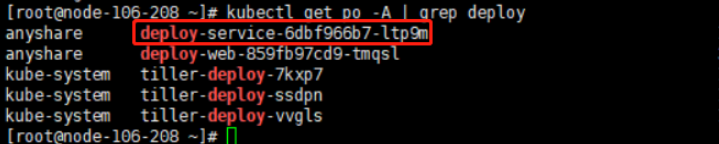
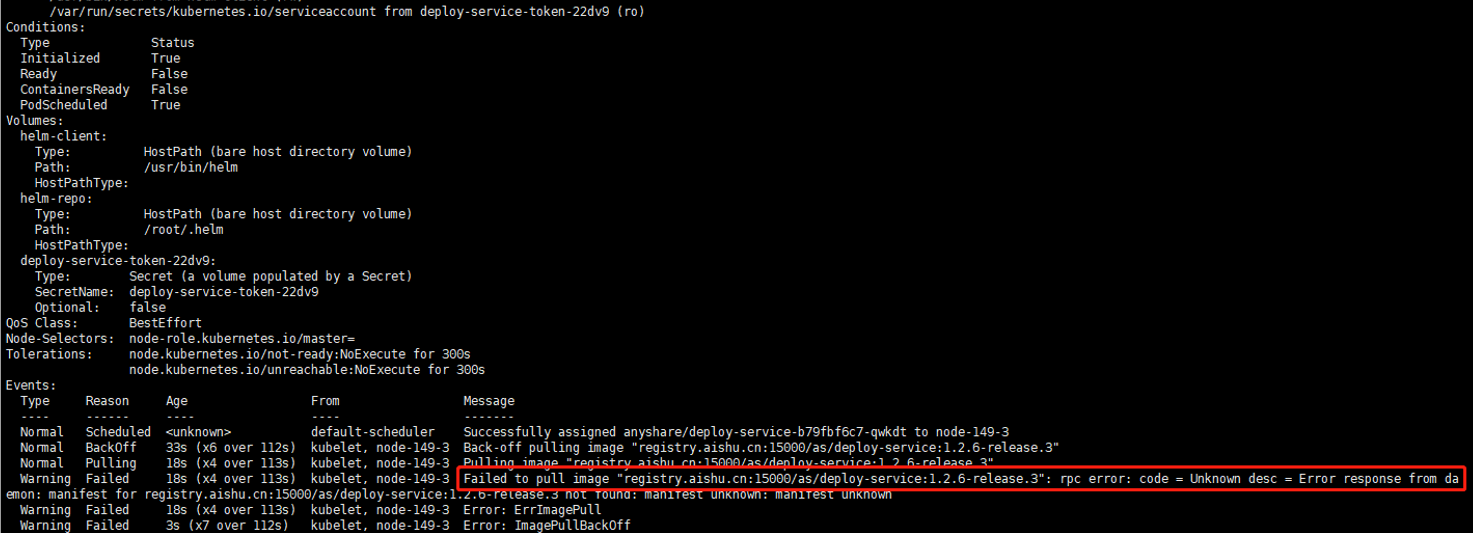 注意:上图示例中,拉取失败的镜像为 registry.aishu.cn:15000/as/deploy-service:1.2.6-release.3,具体以实际环境为准。
2.执行以下命令,确认第1步查询到的拉取失败镜像在本地不存在,命令执行没有输出表示本地不存在。
docker image ls | grep registry.aishu.cn:15000/as/deploy-service

3.执行以下命令,重新上传本地镜像包,并查询镜像是否上传成功,命令执行有输出表示本地存在。
anyshare-tools push-images -f AnyShare-MainModule-Images-7.0.2.6-20220126-el7.x86_64-33.tar.gz
docker image ls | grep registry.aishu.cn:15000/as/deploy-service


4.重新激活 AnyShare,如下图所示激活成功。

更多信息
关于更多 docker image 命令介绍,请参考:命令说明。